
Service Company VoIP Telephone System
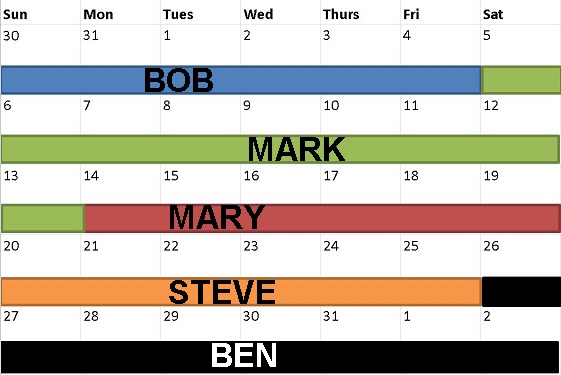
Automated On-call System
Replace expensive answering services!
Night calls are always sent to the correct "web scheduled" technician. This schedule integrates with a Microsoft Outlook or Google calendar.
Unanswered calls retry tech then escalate to backup then eventually a supervisor.
When the tech calls the customer from their cell phone number, the customer sees your business telephone number. Telephone calls can be recorded for quality assurance.
On call response data and audio recordings are available for the service manager to audit for quality assurance.
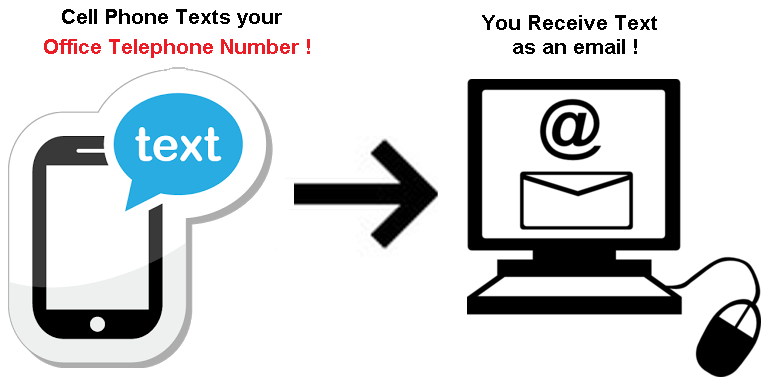
Text Message Enabled Landline
We can text-enable your office landline telephone number to send and receive text messages. Your text telephone number is your voice telephone number!
We have several text solutions as listed at text message.
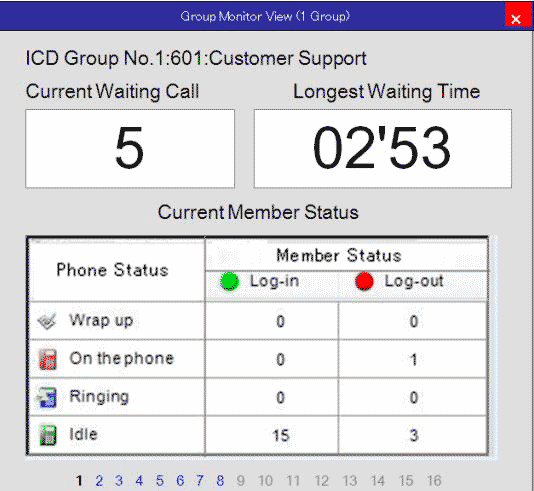
Call Queuing
Smooth out the call peaks. Never use a hold button!
You are a HVAC company and it's 100 degrees outside or maybe a plumber during a pipe busting winter freeze.
You may have periods of high call volume! We can queue these calls and prevent any busy signals. We will then provide a display of how well you are answering calls.
Easy and Secure Audio Conference.
Simple - It's your own dedicated call-in number. Offer a handsfree mobile dialin number. Try that with Zoom!
Secure - The system runs in our own RVA cloud. We are close to you!
Unlimited - Zoom limits you to 40 minutes on the free version.
Recordings - We can record the audio and provide it to you using Virginia 1st party consent laws.

Call Audio Recording w/ AI
Did the technican really say that?
We can record call audio from your desk phones or cell phones and add them as a clickable hyperlink to the report above!
We can also listen and alert for spoken keywords.
Call Detail Reports
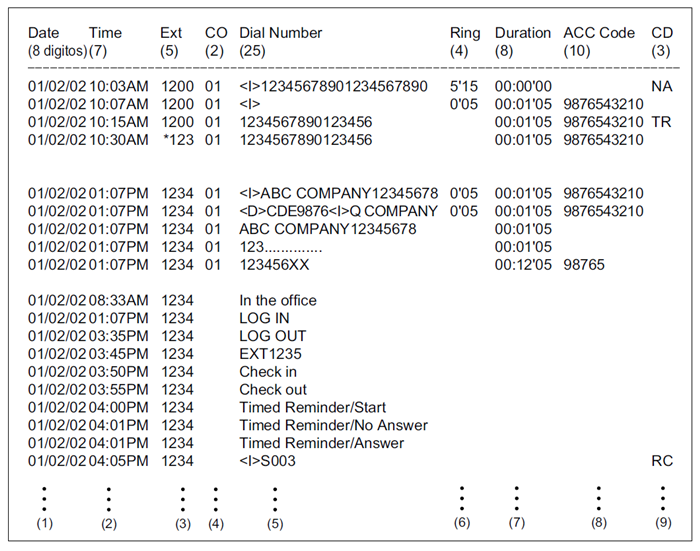
Did we ever call the customer back?
Call reports show the telephone calls made from and received to your system. You can view a complete history of calls and search by;
- date, date range
- number called
- caller ID
- call notes
- account code (service ticket #)

Wireless phones
Wireless headsets
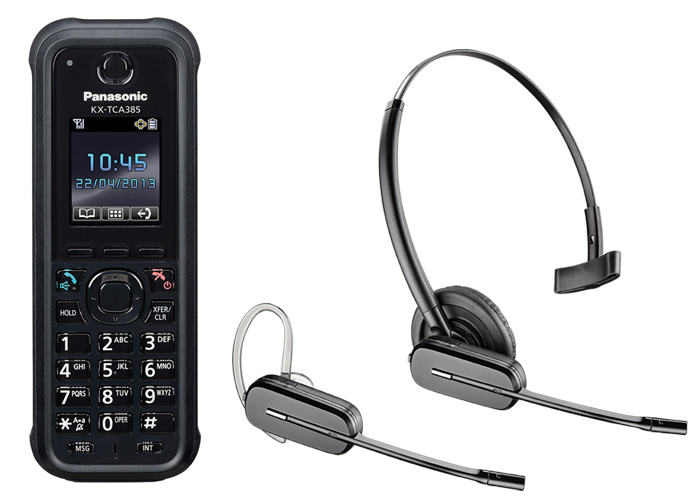
Unchain your receptionist from their desk
Paired with the receptionist phone, these devices allow the receptionist to roam the office, go to the warehouse or outside and still stay connected.
The Panasonic KX-TCA385 is rugged rated and can be warrantied for 7 years! It allows full reception control such as page and transfer.
Headsets just allow for call answer and hangup.

Mobility Solutions
We have a mobile app for android or iphone. Search on "Sangoma Talk" in the Google or Apple app store.
www.textyall.com - one number audio conference call or broadcast text system to reach your service team.
See all of our text message solutions.

Voicemail Transciption
We use the power of IBM Watson (the computer that won Jeopardy) to
- transcribe voicemail messages or call recordings to text.
- watch for sentiment such as happiness, anger or sadness.
- detect key words or phrases such as "broke again", "multiple times", "this is the third time I have called"
- and then flag these messages as urgent or log them for quality control.
Your customer service quality control becomes automated, efficient and measurable without drama.
Our purpose is "we keep you connected" Artificial Intelligence keeps you connected to your customer's state-of-mind.
CRM Integration
We can integrate with any web based or SQL / MySQL server based CRM to provide;
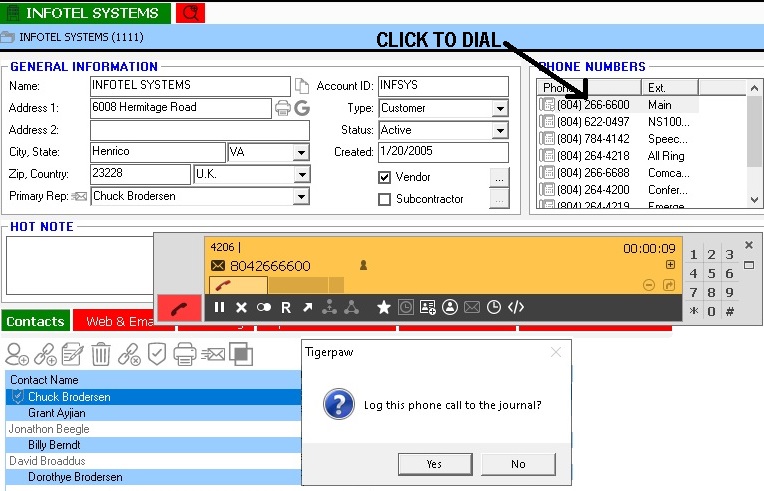
- Click a displayed telephone number to dial. (PC or Android phone)
- Screen-pop a contact on inbound call.
- Call reports with embedded link to CRM ticket.
- Send text from CRM contact. (SMS integrations)
Your CRM provider may have an (API) application programming interface. If so, we can integrate to any feature provided by this interface. Below is the integration we use with our Tigerpaw.com CRM.
Outbound (as pictured to left) click telephone number to dial, system prompts to "journal".
Inbound when a customer with open service ticket calls Infotel Systems @ 804-2600;
- pull ups the customer record and finds the open service order
- bypasses the AA menu options, assumes the call is regarding the open service ticket
- Greets customer and says "I see you have an open service ticket..."
- Transfers customer direct to service queue (where we answer within 15 second ring time)
- Marks telephone call detail record / audio recording with the ticket number for future review